2. Skiven¶
2.1 Modeller¶
| Model | Foto | Sensorer | Tænd/sluk | Forbindelse |
|---|---|---|---|---|
| Fastmark Sport 55 | 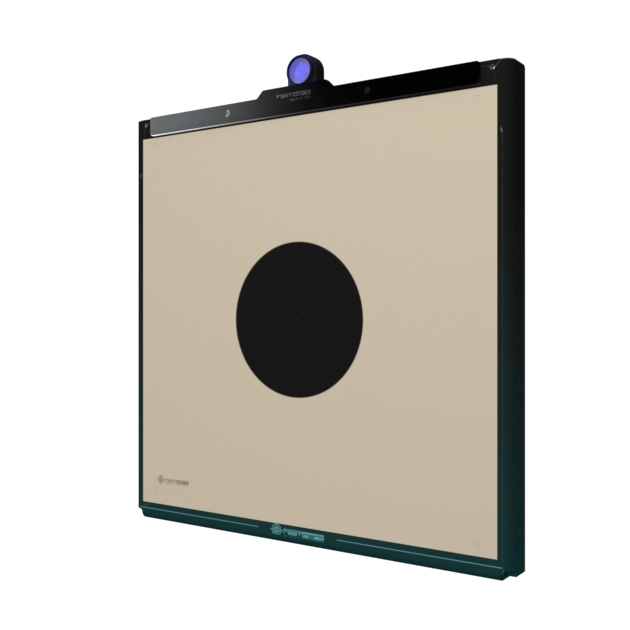 |
5 | Trykkontakt | Bluetooth |
| Fastmark Club 55 | 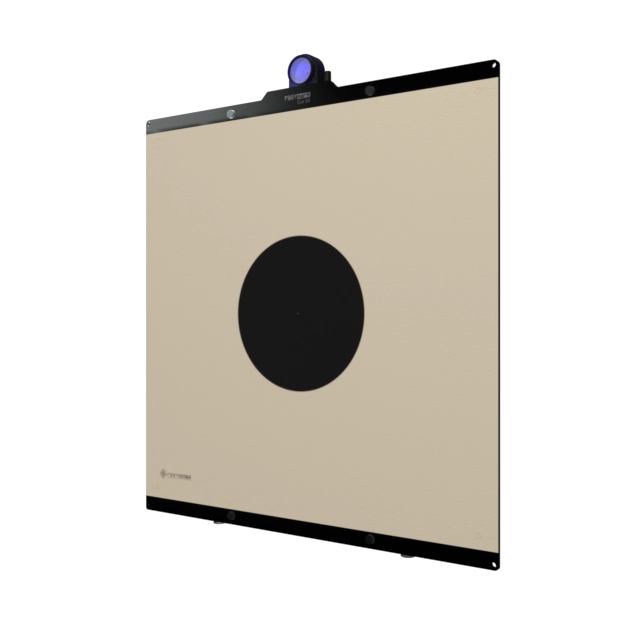 |
6 | Trykkontakt | Bluetooth |
| Fastmark Sport 17 | 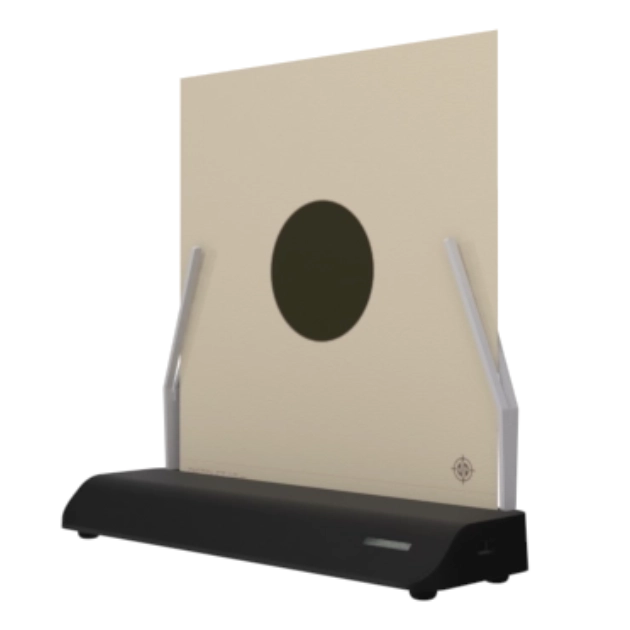 |
4 | Skivemedie-kontakt (ingen trykknap) | Bluetooth |
Når en skive er tændt og inden for rækkevidde, finder appen den automatisk og viser den i sin skiveliste med navn og foto.
2.2 Sådan tændes skiven¶
Sport 55 / Club 55: tryk på kontakten, og hold den kortvarigt inde, indtil LED'en lyser. Et hurtigt tryk gør ingenting — skiven kontrollerer, at kontakten stadig holdes inde omkring et kvart sekund efter trykket, og går lydløst i dvale igen, hvis den ikke gør. Den nægter også at starte (igen lydløst, helt uden LED), hvis batteriet er kritisk lavt, eller elektronikken er for varm.
Sport 17: skiven har ingen trykknap. Den tænder, når skivemediet sættes i, og slukker 8 sekunder efter, at mediet er fjernet.
Når skiven er tændt og klar, viser dens LED et konstant svagt blåt lys, og den vises i appens skiveliste inden for et par sekunder.
2.3 Sådan slukkes skiven¶
- Sport 55 / Club 55: tryk på kontakten, og hold den inde i 2 sekunder. LED'en blinker tre gange, og skiven går i dvale.
- Sport 17: fjern skivemediet; skiven slukker 8 sekunder senere (sættes mediet i igen inden for de 8 sekunder, annulleres slukningen).
Skiven slukker også sig selv i fire situationer:
| Automatisk slukning | Betingelse |
|---|---|
| Inaktivitet | 30 minutter uden et skud eller en seriestart (se §2.6) |
| Kritisk batteri | Batteriet er for lavt til pålidelig drift |
| Overophedning | Den indre temperatur når 80 °C |
| App-kommanderet | Reserveret til fremtidig brug |
Enhver slukning — manuel eller automatisk — slutter med de samme tre LED-blink. Kører en serie i appen, når skiven slukker, får appen besked og frigiver skiven korrekt (se §6.7).
2.4 LED-signaler¶
Hver skive har et hovedlys, der viser dens aktuelle tilstand (tabellen nedenfor). Sport 55 og Club 55 har desuden en lille LED på selve kontakten, som lyser, så længe skiven er tændt.
| Hvad LED'en viser | Betydning |
|---|---|
| Slukket | Skiven er slukket |
| Konstant svagt blåt | Tændt og klar — venter på appen |
| Konstant rødt | Skydesekvens: gør klar — ventefasen |
| Konstant grønt | Skydesekvens: skyd — skydefasen |
| Tre blink | Skiven slukker, eller en firmwareopdatering er netop fuldført |
Lysstyrken ("LED-styrke") og hvilke faser der lyser, indstilles i indstillingerne (kapitel 10).
2.5 Batteri og opladning¶
Appen viser et batteriikon for hver fundet skive. Ikonet bliver rødt på det laveste niveau; når batteriet er kritisk lavt, slukker skiven sig selv.
En ladeindikator sidder på selve skiven, ved siden af USB-porten: den lyser rødt under opladning og er ellers slukket.
Under opladning stiger batteriikonet til "oplader"-symbolet ved fuld opladning, og skiven forbliver vågen uanset inaktivitetstimeren — en skive, der står på opladeren, slukker ikke automatisk og er derfor altid klar.
2.6 Automatisk slukning ved inaktivitet¶

For at skåne batteriet slukker en skive sig selv efter 30 minutter uden aktivitet. Ethvert detekteret skud og enhver seriestart nulstiller 30-minutters-nedtællingen, så skiven aldrig slukker midt i træningen.
Du kan slå dette fra pr. skive på alle modeller: åbn skivens side i appen (§3.5), og slå kontakten "Automatisk slukning" fra. En statusbjælke ved siden af kontakten viser, hvor meget af inaktivitetsnedtællingen der er tilbage, med de resterende minutter vist ved siden af. Indstillingen gemmes i selve skiven og overlever sluk og tænd.
2.7 Navngivning af din skive¶
Hver skive har et navn (højst 11 tegn — et bogstav med accent tæller for to), som vises i appens skiveliste — nyttigt, så snart en klub ejer mere end én. Omdøb den fra skivens side i appen (§3.5); navnet gemmes i selve skiven, så alle enheder ser det samme navn.