2. The target¶
2.1 Models¶
| Model | Photo | Sensors | Power control | Connectivity |
|---|---|---|---|---|
| Fastmark Sport 55 | 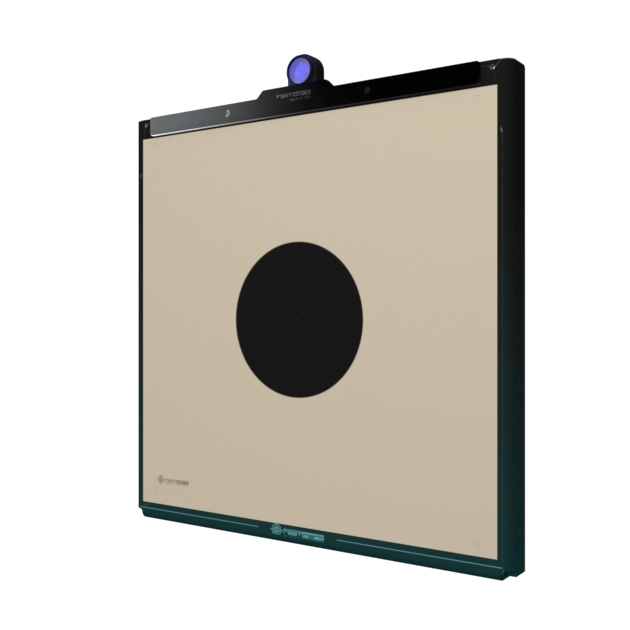 |
5 | Push switch | Bluetooth |
| Fastmark Club 55 | 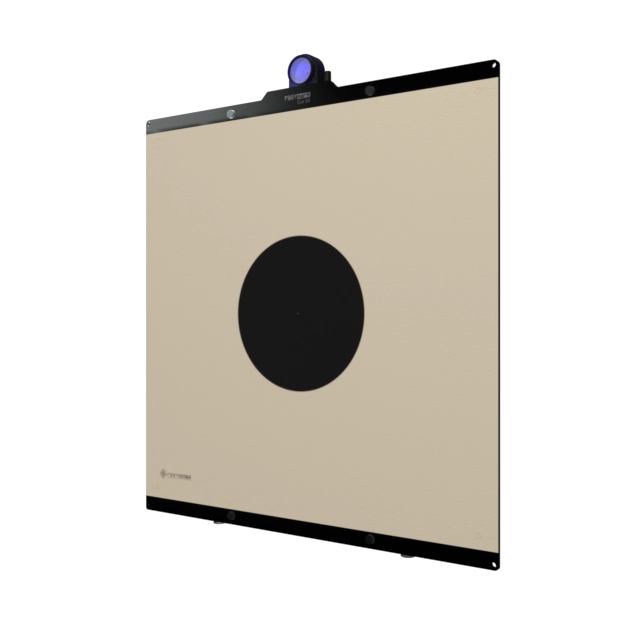 |
6 | Push switch | Bluetooth |
| Fastmark Sport 17 | 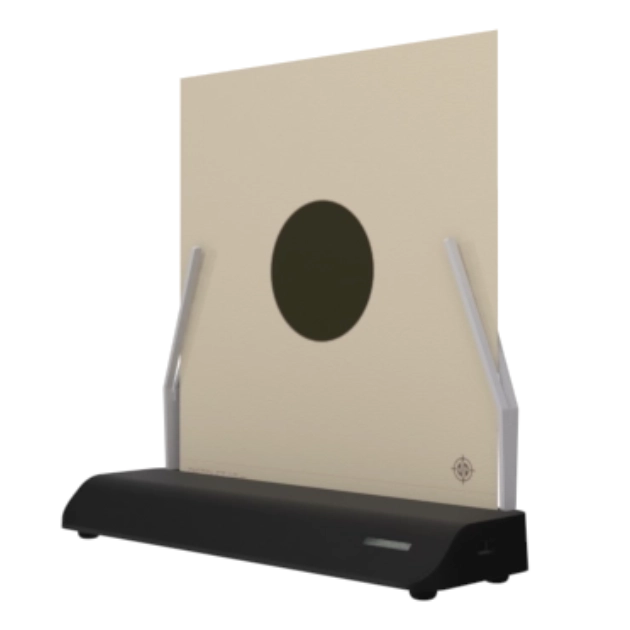 |
4 | Target-medium switch (no push button) | Bluetooth |
When a target is powered on and in range, the app detects it automatically and shows it in its target list with its name and photo.
2.2 Powering on¶
Sport 55 / Club 55: press the switch and hold it briefly until the LED lights up. A quick tap does nothing — the target checks that the switch is still held about a quarter of a second after the press, and silently goes back to sleep if it is not. It also refuses to start (again silently, no LED at all) if the battery is critically low or the electronics are too hot.
Sport 17: the target has no push button. It switches on when the target medium is inserted and switches off 8 seconds after the medium is removed.
When the target is on and ready its LED shows a steady dim blue, and it appears in the app's target list within a couple of seconds.
2.3 Powering off¶
- Sport 55 / Club 55: press and hold the switch for 2 seconds. The LED blinks three times and the target goes to sleep.
- Sport 17: remove the target medium; the target powers off 8 seconds later (re-inserting the medium within those 8 seconds cancels the shutdown).
The target also powers itself off in four situations:
| Automatic shutdown | Condition |
|---|---|
| Idle | 30 minutes without a shot or a series start (see §2.6) |
| Battery critical | Battery too low to operate reliably |
| Overheat | Internal temperature reaches 80 °C |
| App-commanded | Reserved for future use |
Every shutdown — manual or automatic — ends with the same three LED blinks. If a series is running on the app when the target powers off, the app is notified and releases the target cleanly (see §6.7).
2.4 LED signals¶
Every target has a main light showing its current status (table below). The Sport 55 and Club 55 additionally have a small LED on the switch itself, lit whenever the target is on.
| What the LED shows | Meaning |
|---|---|
| Off | Target is powered off |
| Steady dim blue | On and ready — waiting for the app |
| Steady red | Shooting sequence: get ready — the waiting phase |
| Steady green | Shooting sequence: fire — the shooting phase |
| Three blinks | Powering off, or a firmware update just completed |
The brightness ("LED intensity") and which phases light up are configured in the settings (chapter 10).
2.5 Battery and charging¶
The app shows a battery icon for every discovered target. The icon turns red at the lowest level; when the battery is critically low the target powers itself off.
A charge indicator sits on the target itself, next to the USB port: it lights red while charging and is off otherwise.
While charging, the battery icon rises to the "charging" symbol at full charge, and the target stays awake regardless of the idle timer — a target left on the charger does not auto-shutdown, so it is always ready.
2.6 Idle auto-shutdown¶

To preserve the battery, a target powers itself off after 30 minutes with no activity. Any detected shot and any series start resets the 30-minute countdown, so the target never turns off mid-practice.
You can disable this on a per-target basis on every model: open the target's page in the app (§3.5) and turn the "Auto shutdown" switch off. A progress bar next to the switch shows how much of the idle countdown remains, with the remaining minutes displayed beside it. The setting is stored in the target itself and survives power cycles.
2.7 Naming your target¶
Each target has a name (11 characters maximum — an accented letter counts for two) shown in the app's target list — useful as soon as a club owns more than one. Rename it from the target's page in the app (§3.5); the name is stored in the target itself, so every device sees the same name.